It's Not the Mod, It's the Cells: How to Stop Blaming Your Device and Start Diagnosing Your Batteries
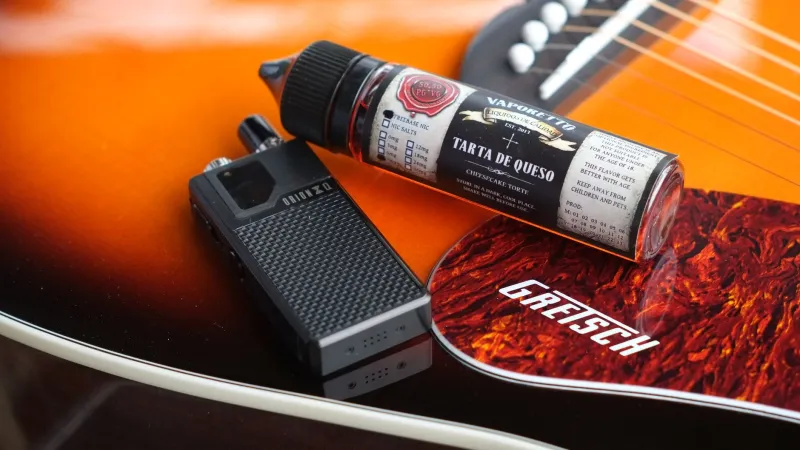
That Frustrating Moment When Your Vape Just... Doesn't
You've been hitting the same mod for a while. Lately it's been cutting out mid-session, firing sluggishly, or throwing low battery warnings when you swear you just charged it. The natural conclusion? Time for a new setup.
Not so fast.
Here's something the vaping community doesn't talk about enough: the majority of "dead mod" situations aren't about the mod at all. The device is almost always fine. What's failing are the 18650s, 21700s, or whatever cells you've been recycling through your setup for the past year or two. Batteries degrade. Quietly, gradually, and in ways that mimic bigger hardware problems.
Before you pull out your wallet, it's worth understanding what's actually happening inside those little cylinders — and how to figure out whether your gear needs a replacement or just a fresh set of cells.
What Battery Degradation Actually Looks Like
Lithium-ion batteries don't die all at once. They fade. Each charge cycle — from full to depleted and back again — puts microscopic stress on the internal chemistry. Over time, the battery's capacity (measured in milliamp-hours, or mAh) shrinks. A cell rated at 3000mAh new might only hold 2100mAh after 300 cycles. That's a 30% drop in runtime, and you'd barely notice it happening day to day.
What you will notice is the downstream effect: sessions that feel shorter, devices that seem to lose charge faster, and output that feels weaker even at the same wattage settings. The mod isn't lying to you — it's just working with less fuel than it used to.
There's also something called internal resistance to consider. Fresh batteries have low internal resistance, which means they can deliver power efficiently. Aged or over-stressed cells develop higher resistance, which causes voltage sag — that annoying dip in power during a draw that makes your device feel like it's struggling. High-resistance cells can also run hotter than they should, which is a safety concern worth taking seriously.
The Symptoms That Point to Batteries, Not Hardware
Not every mod problem is a battery problem, but these specific signs are strong indicators that your cells are the issue:
Shorter sessions between charges. If your setup used to carry you through most of the day and now you're hunting for a charger by noon, your cells have lost significant capacity. The mod hasn't changed — the energy available to it has.
Inconsistent firing. If your device fires normally sometimes and hesitates or cuts out other times — especially under heavier loads — that's classic voltage sag from aging cells.
Rapid voltage drop on the display. Most regulated mods show battery voltage. If yours drops from 4.1V to 3.6V after just a few hits, your cells aren't holding up under load the way they should.
The device works fine with a different set of batteries. This one's the real diagnostic. If you swap in a fresh pair of cells and the mod suddenly behaves perfectly, you've found your answer.
How to Actually Test Your Batteries
Guessing isn't good enough when it comes to battery health — and it definitely isn't good enough when safety is part of the equation. Here's a practical approach:
Use a dedicated charger with discharge testing. Chargers like those in the Nitecore or Xtar lineup often include a capacity testing mode that will run your battery through a full cycle and report its actual measured capacity. If a cell rated at 3000mAh is only delivering 1800mAh, that's your answer right there.
Check for physical changes. Any battery showing signs of swelling, wrinkling at the wrap, dents, or discoloration should be retired immediately — no testing needed. These are safety red flags, not just performance issues.
Inspect the wraps closely. The plastic wrap on a 18650 isn't just cosmetic — it's part of the insulation system. Nicks, tears, or peeling near the positive end can create short circuit risks. Rewrapping is an option, but only if you're confident in what you're doing. When in doubt, replace.
Test under load, not just at rest. A battery can read 4.1V on a multimeter while sitting idle and still sag badly the moment it's asked to push 40 watts through a coil. Load testing tells you how a cell actually performs in real-world conditions.
When It Actually Is the Mod
Let's be fair — mods do fail. Chips can go, 510 connectors get worn or corroded, and firing buttons eventually wear out. But these failures tend to present differently than battery issues.
If your mod throws error messages that don't clear with fresh cells, refuses to fire entirely regardless of which batteries you use, has a 510 connection that feels loose or intermittent, or shows obvious physical damage — then yes, the hardware itself may be the problem. At that point, replacement or repair makes sense.
But that's a separate diagnosis from "my vape feels weak," which in the vast majority of cases traces right back to the cells.
The Smart Replacement Cycle
Most experienced vapers replace their batteries every 6 to 12 months depending on usage, even if the cells haven't completely failed. Think of it like rotating tires — you're not waiting for a blowout, you're maintaining performance and safety margins proactively.
When you do replace, stick to reputable brands from trusted sources. The 18650 and 21700 market has a counterfeiting problem, and fake cells can be genuinely dangerous. Buy from established vendors, check for proper labeling and specs, and avoid anything that seems too cheap to be real.
Also, match your cells to your actual usage. If you're running a dual-battery mod at high wattages, you need cells with appropriate continuous discharge ratings — not whatever happened to be in stock. Mismatched or underpowered cells wear out faster and create unnecessary stress on your setup.
Don't Let the "New Gear" Instinct Win
Look, there's nothing wrong with wanting new equipment. Upgrading is part of the fun. But upgrading because you misdiagnosed a battery problem means you'll probably end up with the same issue in six months when the fresh cells in your new mod start aging out.
The better move is to understand what you're actually working with. Test your batteries. Replace them if they're degraded. Give your existing mod a fair shot with quality cells before writing it off. Nine times out of ten, the hardware you already own is perfectly capable — it just needs the right fuel.
Your mod isn't dead. Your batteries probably are. And now you know how to tell the difference.